

Why Does Your Carry Distance Change on a Golf Simulator? 10 Factors to Check
The same club and a similar swing can still produce different numbers indoors. Ball speed, strike quality, launch conditions, settings, hitting surfaces, and even the room can influence the carry distance shown on screen.
You make what feels like the same swing with the same club and ball, yet one shot carries 155 yards, another 147, and the next returns above 150.
That does not automatically mean something is wrong with your swing or the simulator. Carry distance comes from several connected variables. A modern Golf Simulator captures launch data such as ball speed, club speed, launch angle, spin, and direction, then models the rest of the flight.
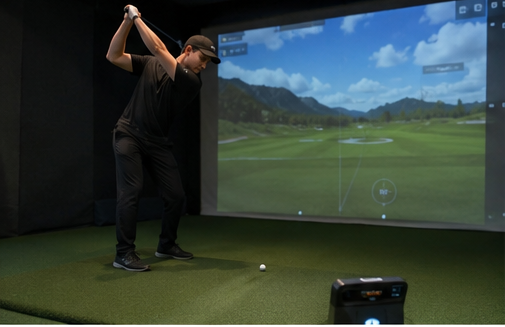
Before adjusting your technique, compare the underlying data and confirm that the practice environment has remained consistent.
Why Simulator Carry Distance Varies
A simulator does not measure the ball traveling its full distance across the room. The launch monitor tracks its early movement and, depending on the system, club data. Software then calculates the expected flight. Small changes in measured launch conditions can therefore create visible changes in carry.
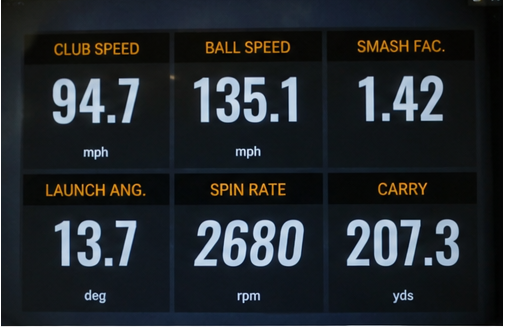
Do not begin with the final yardage. Compare ball speed, club speed, smash factor, launch angle, spin rate, spin axis, and the average carry from several solid shots.
1. Ball Speed
Ball speed is one of the first metrics to check. Two swings can feel identical while producing different contact. A centered strike usually transfers energy efficiently, while heel, toe, thin, or heavy contact may reduce speed. Compare the average from several well-struck shots with the same club.
2. Club Speed
Indoor swings do not always match outdoor swings. A golfer may shorten the backswing or reduce acceleration when a ceiling, screen, or wall feels close. The swing can feel normal even when a modest speed loss reduces ball speed and carry.
3. Smash Factor
Smash factor compares ball speed with club speed and indicates how efficiently impact transferred energy. If club speed is stable but ball speed falls, strike efficiency probably changed. This explains why two swings at nearly the same speed can produce different distances.

4. Launch Angle
Two shots with similar speed can travel different distances when they launch at different angles. A very low launch reduces air time, while a much higher launch creates a different flight window depending on speed and spin. Always review carry with launch angle.
5. Spin Rate and Spin Axis
Spin affects how the ball climbs, curves, stays airborne, and descends. Similar speed and launch can still create different carry when spin changes substantially. Some monitors measure spin directly; others calculate it from tracking data, so unusual carry should be checked against both spin and launch.
Read the first five factors as one system: club speed supplies energy, strike quality determines how efficiently it reaches the ball, ball speed sets distance potential, and launch plus spin shape the flight.
6. Golf Ball Selection
Different ball constructions can create different speed, launch, and spin. A worn practice ball may also behave differently from a newer one. When comparing clubs or sessions, use the same Golf Ball model rather than mixing range balls, older balls, and premium balls.

7. Golf Mat Conditions
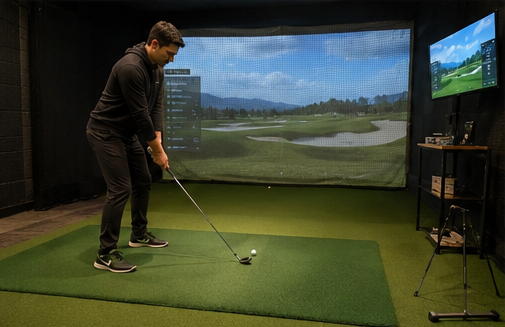
Turf height, firmness, cushioning, and the base beneath the hitting area affect how the club interacts with the surface. Moving between mats can change impact feel, low-point control, and strike location. Even one heavily used section may behave differently. Keep the hitting position and tee height consistent.
8. Simulator Settings
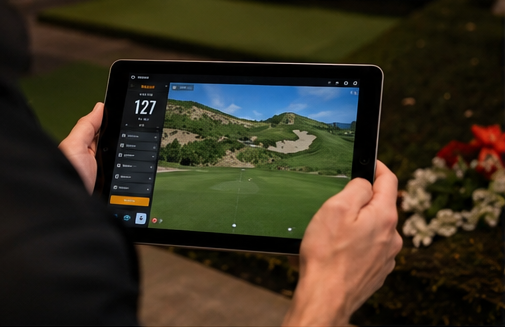
Altitude, temperature, humidity, wind, and atmospheric normalization can change calculated carry even when launch data is similar. Different game or course modes may also apply their own conditions. Confirm that the same environment and normalization settings are active before comparing sessions.
9. Monitor Position and Calibration
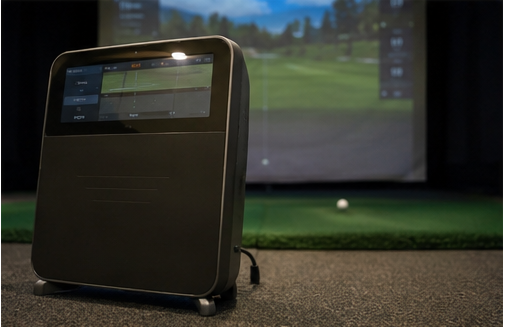
A launch monitor can only work with the information it captures. If the monitor, mat, or target line has shifted, repeat the setup and alignment procedure. In a fixed installation, follow the manufacturer's positioning and calibration requirements.
10. The Indoor Environment
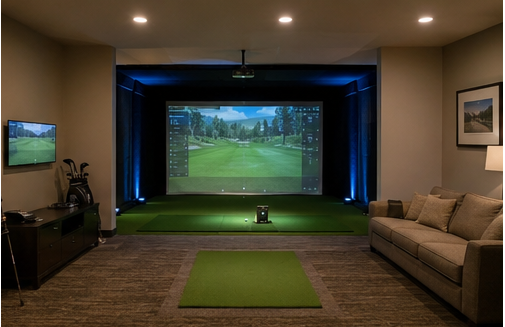
Sometimes the data is accurate and the swing is simply different indoors. Ceiling height, walls, nets, lighting, and enclosure dimensions can affect comfort, especially with a driver. If the space feels restrictive, a player may instinctively reduce speed or alter the swing path.
How to Identify What Changed
Do not diagnose one unusually long or short shot. Hit several shots with the same club, remove obvious mishits, and compare the pattern across the remaining strikes.
Build a Repeatable Training Setup
Consistency matters more than chasing one perfect number. Use the same ball and club, hit from the same part of the Golf Mat, keep tee height and monitor position stable, and use the same software conditions. Make sure the screen and walls do not restrict your swing, then compare averages from several solid shots.
Golf Practice Mat vs. Real Grass
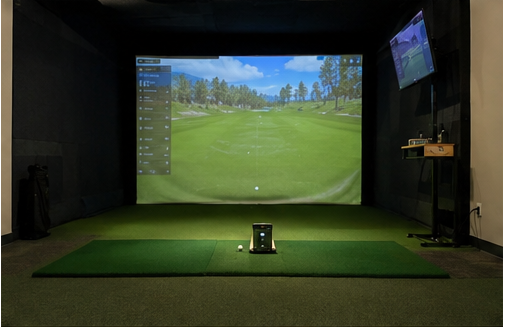
Natural turf changes with grass type, soil, moisture, lie, and maintenance. A synthetic Golf Practice Mat offers a repeatable surface but does not interact with the club exactly like grass. Its firmness, fibers, and cushioning influence movement through impact, so interpret indoor-versus-outdoor differences in the context of the surface.
Frequently Asked Questions
Why is my simulator distance shorter than outdoors?
Compare speed, launch, spin, and settings. Indoor hesitation and the difference between synthetic turf and grass may also contribute.
Can the ball or mat affect the numbers?
Yes. Ball construction changes speed, launch, and spin, while mat firmness and cushioning can affect strike quality and low-point control.
What should I check first after a sudden distance change?
Start with ball speed, club speed, smash factor, launch, and spin. Then check the ball, mat, monitor alignment, calibration, and software settings.
Better practice starts with better consistency.
Control the environment, compare the right numbers, and use long-term patterns rather than one impressive shot to understand your swing.